Free Online PDF Converter: The Ultimate Guide to Trencada
In the fast-paced digital ecosystem of 2026, managing documents efficiently is no longer just a luxury-it is an absolute necessity. Whether you are a student submitting an assignment, a financial analyst extracting data from quarterly reports, or a small business owner signing vendor contracts, you deal with Portable Document Format (PDF) files daily. Despite their universal compatibility and consistent formatting, PDFs are notoriously difficult to edit, extract data from, or modify without the right tools.
This is where the massive surge in search trends for “online PDF tools” originates. Users are tired of downloading bloated desktop software, navigating confusing interfaces, or being hit with unexpected paywalls just to convert a single page.
In this comprehensive guide, we will explore the evolving landscape of digital document management and take an exclusive, in-depth look at Trencada.com the all-in-one online PDF platform that is revolutionizing how we merge, convert, compress, and edit files for free, securely, and without any hidden catches.
The Growing Need for Efficient PDF Management
Originally developed in the 1990s, the PDF was designed to act as digital paper. It locked formatting in place so that a document would look identical regardless of the device, operating system, or software used to open it. While this visual consistency is fantastic for final presentations, it creates a massive roadblock for collaboration and data extraction.
When you receive a PDF containing a valuable table of financial data, you cannot simply copy and paste it into a spreadsheet. Instead you get:
- Formatting that breaks
- Rows that merge
- Numbers that are jumbled
When you need to update a typo in a contract, you cannot just click and type.
Modern professionals and students require agile solutions that can bridge the gap between static PDFs and dynamic file formats like Microsoft Excel, Word, and PowerPoint. The solution lies in cloud-based PDF conversion technology. However, not all online platforms are created equal. Many restrict your usage, inject aggressive watermarks into your documents, or compromise your data privacy.
This is exactly why Trencada.com has become the standout destination for document manipulation.
Introducing Trencada.com: The All-in-One PDF Suite
If you are searching for a reliable, fast, and secure way to handle your documents, Trencada.com is the definitive answer. Functioning as a comprehensive suite of 280+ free tools, this platform handles everything from basic conversions to advanced editing—all directly within your web browser.
What truly sets Trencada.com apart in a crowded digital market? It is built on a user-first philosophy that prioritizes accessibility and efficiency.
1. 100% Free with No Limits
One of the most frustrating experiences with online tools is completing your task only to be prompted to enter credit card details to download your own file. Trencada.com eliminates this friction entirely. The platform provides its 280+ tools completely free of charge, with absolutely no arbitrary limits on how many files you can process in a day.
2. No Sign-Up or Registration Required
Time is money. When you need to compress a file to meet an email attachment limit, you do not have five minutes to verify an email address and create a password. Trencada.com allows you to land on the homepage, select your tool, and get your file instantly without ever creating an account or logging in.
3. Zero Watermarks
There is nothing less professional than sending a client a business proposal or invoice that has “Converted by FreeOnlineTool” plastered across the background. Trencada.com respects the integrity of your documents. When you convert, merge, or edit a file, the output is clean, pristine, and entirely watermark-free.
Deep Dive: Top PDF Tools on Trencada.com
With a massive library of utilities, Trencada.com is equipped to handle virtually any document-related task you throw at it. Let us break down the most popular and powerful tools available on the platform.
The PDF to Excel Converter: Unlocking Your Data
Perhaps the most sought-after tool in 2026 is the PDF to Excel Converter. When dealing with invoices, financial statements, inventory lists, or survey results, data is often trapped inside a PDF grid.
Trencada.com‘s conversion engine analyzes the structure of your PDF, intelligently recognizes tables, columns, and rows, and faithfully recreates them in an .xlsx spreadsheet format. This eliminates the need for tedious, error-prone manual data entry. You can upload a multi-page financial report, process it through Trencada.com, and within seconds, download a fully functional Excel workbook where you can apply formulas, create pivot tables, and analyze the data efficiently.
The PDF to Word Converter: Restoring Editability
Sometimes you receive a manual, an essay, or a legal draft in PDF format, but you need to make significant textual changes. The PDF to Word tool on Trencada.com flawlessly translates static text back into editable .docx files. It preserves font styles, paragraph alignments, headers, and image placements, giving you a Word document that looks identical to the original PDF but is entirely ready for your edits.
Merge and Organize PDFs
If you are compiling a monthly report from different departments, you might receive five different PDF files. Instead of sending five separate attachments, you can use the Merge PDF tool. By simply dragging and dropping your files into Trencada.com, you can arrange the page order and combine them into a single, cohesive, and professional document instantly.
Conversely, the Split PDF tool is perfect for when you have a 100-page document but only need to send a specific three-page chapter to a colleague. You can extract exact pages and save them as a new, lightweight file.
Compress PDF: Beat Attachment Limits
Email servers and web portals often enforce strict file size limits (usually around 10MB to 25MB). If your PDF contains high-resolution images or graphics, it can easily exceed these limits. Trencada.com’s Compress PDF tool uses advanced optimization algorithms to significantly reduce the file size without compromising visual quality. Your documents remain crisp and readable, but the file size is reduced to a fraction of the original.
Edit and Sign PDFs
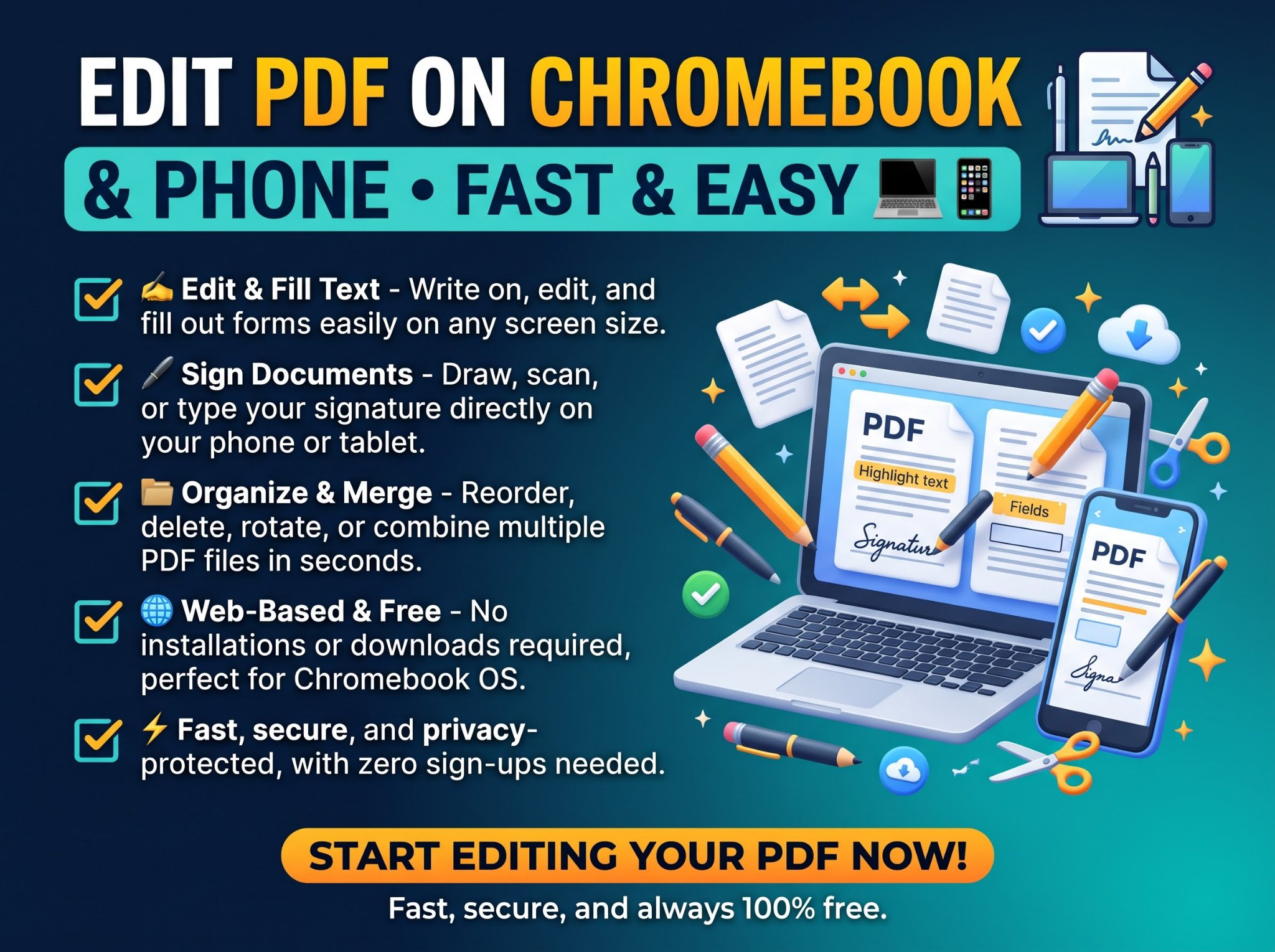
The transition to remote work has made digital signatures a standard requirement. The Sign PDF tool on Trencada.com allows you to upload contracts, NDAs, or HR forms and append your secure digital signature. You can also use the Edit PDF suite to add text annotations, highlight important sections, or draw directly onto the document before sending it back.
Image Conversion Suite
Trencada.com is not limited to document formats. It boasts a full suite of image tools, including Image to PDF, PDF to JPG, PDF to PNG, and even PDF to WEBP. Whether you are a graphic designer needing to extract vector-quality images from a brochure, or a user who needs to compile a dozen scanned JPG receipts into a single PDF expense report, the platform handles it flawlessly.
How Trencada.com Works: The 4-Step Process
One of the main reasons Trencada.com boasts incredibly high user retention is its flawless User Experience (UX) and intuitive interface. You do not need to be a tech expert to use the platform. The entire process is streamlined into four simple, rapid steps:
Step 1: Select Your Tool
Navigate to the beautifully organized Trencada.com homepage. Here, you will find tools categorized by functionality:
- Convert from PDF
- Convert to PDF
- Organize PDF
- Edit & Sign PDF
Simply click on the specific tool that matches your current task.
Step 2: Upload Your File
Once you are in the tool interface, adding your file is a breeze. You can click the main upload button to browse your device’s storage, or simply drag and drop the PDF directly from your desktop into the browser window. Because Trencada.com is fully responsive and mobile-friendly, you can also easily upload files directly from your smartphone or tablet’s local storage.
Step 3: Process Instantly
This is where the magic happens. Once the file is uploaded, Trencada.com’s ultra-fast cloud servers take over. There are no complex settings to configure (unless you choose to). The platform auto-processes your request instantly. Whether it is compressing a massive file or converting a complex table to Excel, the processing usually takes mere seconds.
Step 4: Download Your Result
As soon as the processing is complete, your new, optimized file is ready for download. Click the download button to save it directly to your device. It is that simple—no hoops to jump through, no hidden fees, and no waiting in queues.
Uncompromising Security and Privacy
When dealing with digital documents, privacy is paramount. Whether you are merging internal company memos, converting tax documents to Excel, or signing legal agreements, you must have absolute confidence that your data is safe.
Trencada.com was built with privacy at its core. The platform operates under a strict Secure & Private framework. All file transfers between your browser and their servers are protected by advanced SSL encryption. This ensures that your files cannot be intercepted while in transit.
Furthermore, Trencada.com understands that your documents belong to you. The platform employs an automatic file deletion policy. Shortly after your file is processed and downloaded, it is permanently wiped from their cloud servers. They do not store your private data, they do not analyze your documents for advertising purposes, and they do not share your files with third parties. You get the convenience of cloud computing with the peace of mind of localized security.
Why Trencada.com is the Ultimate Choice in 2026
As we navigate an increasingly digital world, the tools we use must empower our workflows, not hinder them. Trencada.com represents the pinnacle of what a web utility should be. Let’s summarize why it remains the undisputed champion for PDF management:
- Ultra-Fast Speed: Cloud-based architecture ensures that conversions and compressions happen in seconds, saving you valuable time.
- Universal Compatibility: Because it is entirely browser-based, Trencada.com works perfectly on Windows, macOS, Linux, iOS, and Android. There are no software conflicts or hardware requirements.
- Simple UI: The clean, distraction-free interface ensures that you can find the tool you need and complete your task without navigating through clunky menus or intrusive advertisements.
- Comprehensive Toolkit: With 280+ free tools, you will never need to search for a different website to handle a niche document task. From basic PDF to PPT conversions to advanced page extractions, it is all under one roof.
Frequently Asked Questions About Trencada.com
To round out this guide, let us address some of the most common questions users have when transitioning their document workflow to Trencada.com.
Is Trencada.com truly free to use?
Yes. Trencada.com prides itself on offering a 100% free suite of tools. There are no hidden subscription fees, no paywalls blocking premium features, and no charges hidden at the end of the conversion process.
Do I need to install any software on my computer?
No. Trencada.com is entirely web-based. You do not need to download or install any applications, which protects your computer from potential malware and saves hard drive space. As long as you have an internet connection and a web browser, you have access to the full suite of tools.
Will my converted Excel or Word files retain their original formatting?
Trencada.com utilizes highly advanced conversion algorithms designed specifically to preserve the layout, fonts, and structures of your original PDF. When converting a PDF to Excel, it accurately maps tables and columns. When converting to Word, it ensures paragraphs and images stay exactly where they belong.
Can I use Trencada.com on my smartphone?
Absolutely. The platform is highly responsive and optimized for mobile devices. You can easily convert, merge, or compress PDFs directly from your iPhone, iPad, or Android device using your standard mobile browser.
Is it safe to upload confidential business documents?
Yes. Trencada.com guarantees secure and private processing. Your files are encrypted during upload, and the platform utilizes an auto-deletion protocol that ensures your sensitive data is purged from their servers after processing.
Conclusion
The days of struggling with static, uneditable PDF files are over. As 2026 pushes us further into a streamlined, data-driven digital economy, having a reliable document management system is vital for your productivity.
By eliminating paywalls, removing registration barriers, and offering a robust suite of 280+ highly optimized, free utilities, Trencada.com has proven itself to be the only PDF platform you will ever need. Whether you are transforming a complex PDF report into an interactive Excel spreadsheet, merging a dozen separate files into a seamless portfolio, or simply compressing a document for email, Trencada.com delivers flawless results in seconds.
Bookmark it today, and experience the ultimate standard in digital document management.