You paste a link into a chat app and it arrives broken — half the address is missing. Or your API call fails with a 400 error for no obvious reason, until you notice the search term contained an ampersand. Special characters in URLs are the quietest bugs in web development.
This guide explains what URL encoding actually is, when you need it, the double-encoding trap almost everyone falls into once, and how to encode a URL online for free — in seconds, with no signup.
What is URL encoding?
A URL is only allowed to contain a limited set of characters: letters, digits, and a handful of symbols like -, ., _, and ~. Everything else — spaces, ampersands, question marks inside a value, accented letters, emoji — has to be translated into a format URLs can safely carry. That translation is URL encoding, also called percent-encoding.
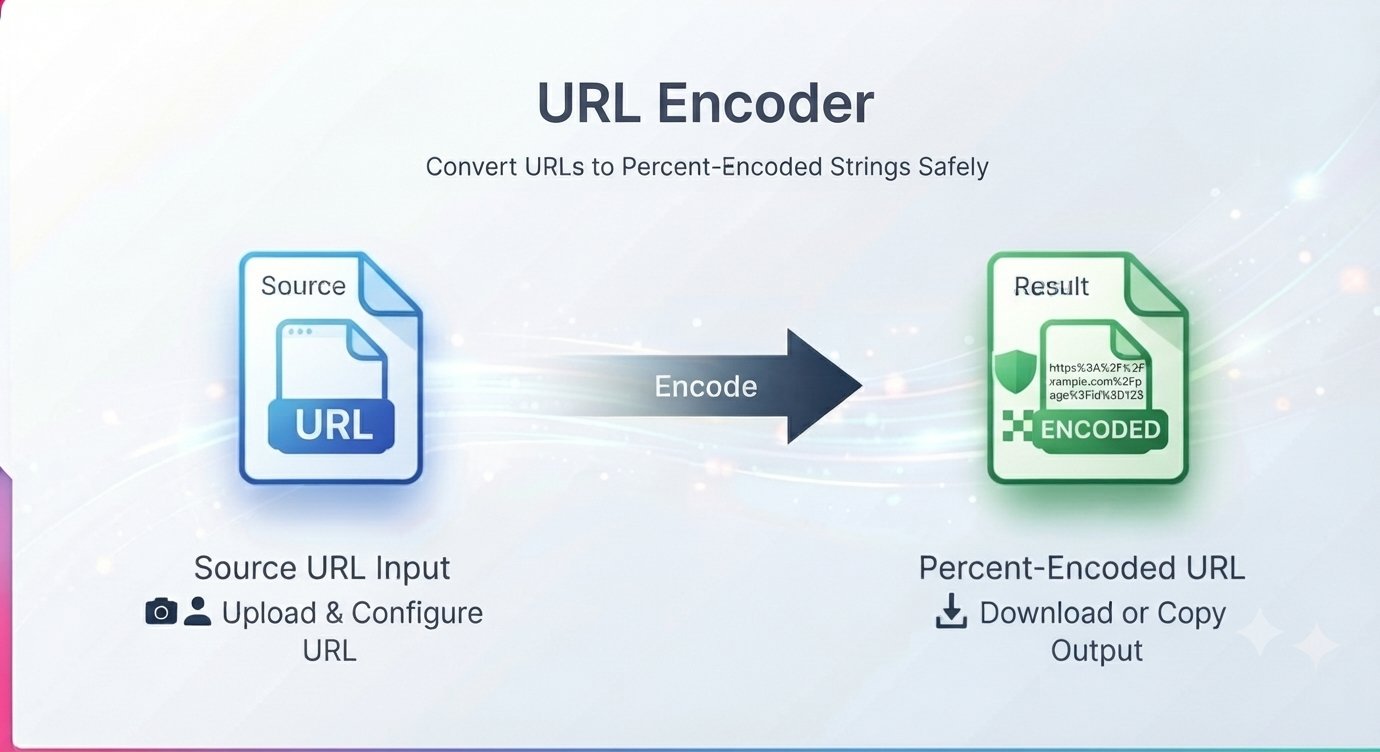
Each unsafe character is replaced with a % followed by two hexadecimal digits representing the character. So a space becomes %20, an ampersand & becomes %26, and a question mark ? becomes %3F. The classic example: Hello World encodes to Hello%20World. Nothing about the meaning changes — browsers and servers decode it back on arrival — it just makes the URL safe to transmit.
When do you actually need to encode a URL?
Most of the time, your browser handles this for you. You need to think about it when you’re building URLs yourself:
- Query parameters with special characters — a search box sending
?q=coffee & teawill break at the&, which the server reads as the start of a new parameter. The value must go as?q=coffee%20%26%20tea. - UTM and tracking links — campaign URLs built by hand often contain spaces or punctuation in parameter values.
- API calls — sending user input, addresses, or names as query parameters to a REST API.
- Non-English text in URLs — accented characters, Arabic, Chinese, or emoji in a link need encoding to survive being copied, pasted, or emailed.
- Redirect and callback URLs — embedding one full URL inside another URL’s parameter (a payment gateway’s “return to” address, for instance) requires the inner URL to be encoded so its
?and&characters don’t corrupt the outer one.
Rule of thumb: if a character has a special job in a URL (? starts the query, & separates parameters, = assigns values, # starts a fragment, % starts an encoding), it must be encoded whenever it appears as plain data rather than doing that job.
How to encode a URL online free
A free URL encoder runs right in your browser — no signup, no software, no installation.
Step by step
- Paste your URL or text into the input box.
- Click the Encode URL button.
- Review the encoded output — spaces and special characters are now in percent-encoded format.
- Copy the result and use it in your link, query parameter, or web application.
The same tool page also includes a URL decoder: paste an encoded string, click Decode URL, and get the readable original back — handy when you’re debugging a link full of %20s and want to see what it actually says.
The double-encoding trap (read this once and never get bitten)
The single most common URL-encoding bug is encoding twice. It goes like this: you encode Hello World to Hello%20World. Then some part of your code or tooling encodes it again — and now the % in %20 gets encoded too, becoming %25. The result is Hello%2520World, which decodes once to Hello%20World — still encoded — instead of Hello World.
When a URL looks right but the destination still fails, and you see %25 in it, that’s double-encoding. The fix is simple: encode exactly once, at the point where the URL is assembled. If a framework, library, or browser already encodes for you (most HTTP clients do), don’t encode the value yourself first. And when in doubt, decode what you have and start from the readable version.
Which characters does URL encoding change?
The safe characters — letters, digits, hyphen, period, underscore, tilde — are never touched. Everything else gets encoded. The ones you’ll meet most often:
- Space →
%20 ?→%3F&→%26=→%3D%→%25#→%23+→%2B
One subtlety worth knowing: in query strings, a + is sometimes interpreted as a space (that’s a form-encoding convention, not true percent-encoding). If a literal plus sign matters in your value — say in an email address like user+tag@example.com — encode it as %2B so it survives.
URL encoder FAQ
What is URL encoding used for?
URL encoding makes text safe to include in a web address. It’s used in query parameters, API calls, tracking links, redirect URLs, and anywhere special characters or non-English text need to travel inside a URL without breaking it.
What is the difference between URL encoding and Base64?
They solve different problems. URL encoding makes text URL-safe by escaping only the unsafe characters, leaving readable text mostly readable. Base64 converts any data — text or binary — into a compact ASCII alphabet, and the result looks nothing like the original. Use URL encoding for URLs; use Base64 when you need to embed arbitrary data (like an image) inside a text format.
Why does my URL still break after encoding?
The most likely cause is double-encoding — look for %25 in the address, which means a % got encoded a second time. Another common cause is encoding the wrong part: in ?q=coffee & tea, the parameter value needs encoding, but the ? that starts the query must be left alone. Decode the URL, check which characters are doing structural work, and encode exactly once.
Can I decode an encoded URL back to readable text?
Yes. The same tool page includes a free URL decoder — paste the encoded string, click Decode URL, and you’ll get the original readable text back. It’s the fastest way to inspect a link that’s nothing but percent signs and hex digits.
Is the URL encoder free? Do I need to sign up?
Yes, it’s free to use online — and no software installation is required. Paste your text, click Encode URL, copy the result.
Encoding URLs by hand is how broken links happen. Run the string through the encoder and paste the result with confidence. Encode your URL free — no signup